Understanding Legacy Software
Working in IT consultancy often means keeping quite a few IT plates spinning.
One day I might be working on a website. The next could involve SEO, organising data, maintaining a database, producing reports, writing content, troubleshooting something unexpected, or returning to a software development project.
Several projects can be spinning at the same time, and attention inevitably shifts between them.
Eventually, it's the teetering software development plate that demands my attention.
An established application needs a change, and understanding legacy software again becomes the first job. Perhaps there's a new feature to add, an existing process to modify, or something that simply wasn't required when the software was originally written.
There's just one small problem.
I haven't looked at the source code for months.
Or even years!
First, Remember How the Thing Works
There's quite a difference between knowing what a piece of software does and remembering exactly how you made it do it.
I may know the application inside out from a user's point of view. I may even have designed and written the thing. But that doesn't mean I can immediately remember which module handles a particular process, where a value is calculated, which database tables are involved, or why a slightly odd-looking piece of code seemed like a perfectly sensible idea several years ago.
So before changing anything, there's usually a period of getting reacquainted.
Open the project. Browse the forms and modules. Search for familiar routines. Follow function calls. Check the database. Dig out the documentation. Run the application. Set traps (breakpoints) throughout.
Gradually, it starts coming back.
"Ah, yes. That's how that works."
And occasionally:
"Why on earth did I do it that way?"
Usually followed, five minutes later, by:
"Ah. That's why."
Anyone who has returned to their own old code will probably recognise the experience.
What If You Could Ask the Software Questions?
This is where I've started to find AI-assisted development particularly interesting.
Most of the attention around AI and software development has understandably been about generating code. Describe what you want, and an AI coding tool can produce functions, queries, classes, tests, or sometimes surprisingly large chunks of an application.
That's useful.
But when I'm returning to an established codebase, my first requirement isn't necessarily:
Write some code for me.
It's:
Help me understand this software.
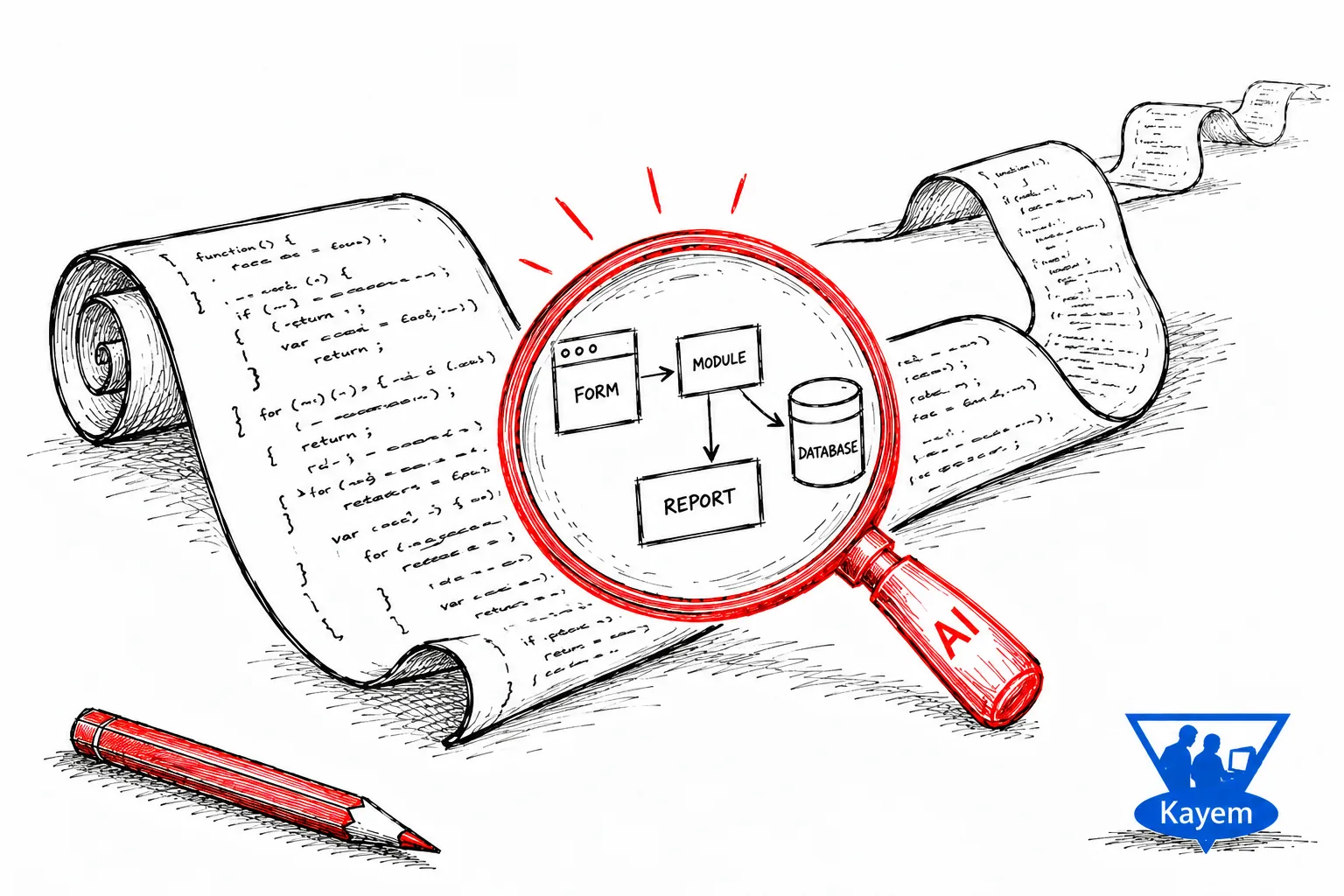
Give an AI development environment access to an existing project and suddenly you can start asking questions about it.
What are the main parts of this application?
How is it structured?
What happens when the user does this?
Which modules are involved?
Where does this value come from?
Where is it stored?
What else depends on it?
Instead of rediscovering the application entirely file by file, I can start exploring it question by question.
And that, for me, is where things get interesting.
Rebuilding the Developer's Mental Model
I'm not particularly interested in getting AI to produce a lovely description of every source file.
What I really want is to rebuild enough context to start thinking like the developer of the application again.
And that developer was...?
Oh yes. It was me.
So start with the application as a whole.
Then look at one particular area. Follow a workflow. Find the relevant modules. Trace the data. Find the business logic. Look at what depends on what.
Before long, the questions can become much more specific:
If this behaviour needs to change, which parts of the application should I be looking at?
At that point, AI isn't simply explaining individual lines of code. It's helping me piece the application back together in my head.
And when it's software you've previously developed yourself, something else happens.
The analysis starts jogging your memory.
"Of course. I remember this now."
The knowledge wasn't necessarily lost.
It was just hiding somewhere behind everything else I've been doing since I last looked at the code.
Software Is More Than Source Code
There's another important point here.
Understanding the source code isn't necessarily the same thing as understanding the software.
An established application may also depend on databases, configuration, external files, reports, third-party components, documentation, the environment it runs in, and the way people actually use it.
Then there are the business rules.
A routine might make perfect technical sense while the reason it exists makes no sense whatsoever unless you understand the business requirement behind it.
This is also where old documentation suddenly becomes rather useful.
I increasingly think of the different pieces like this:
Documentation explains intent and context.
Source code reveals implementation.
Running software reveals behaviour.
Put those together and you get a much better picture than you would from staring at the source code alone.
AI can help join some of those dots, find relationships, and point me towards the bits I probably ought to investigate next.
AI Can Help You Remember. It Can't Remember for You.
There is, of course, a catch.
An AI-generated explanation of an application doesn't suddenly become the definitive technical specification just because it sounds convincing.
It may not have seen everything.
It might misunderstand a relationship, miss an external dependency, overlook behaviour that only appears when the software is running, or correctly explain what some code does while having absolutely no idea why it needs to do it.
So I still need to check the important stuff against the actual application, source code, data, documentation, and behaviour.
For me, that's simply the right division of labour.
Let AI speed up the exploration.
Let it find things.
Let it trace relationships.
Let it point me in the right direction.
But I'm still responsible for deciding whether what it's telling me actually makes sense.
After all, if I wrote the software in the first place, I don't particularly want an AI confidently explaining my own application incorrectly to me.
That would just be rude.
And I know best.
Don't I?
Understanding Before Changing
Eventually, we get back to the reason I opened the project in the first place.
There's a feature to add.
But by now I'm asking much better questions.
Where should it go?
Which existing processes will it interact with?
What data does it need?
What already depends on the bit I'm about to change?
And could this apparently small modification have consequences somewhere completely unexpected?
I'm no longer approaching the application cold.
The architecture is becoming familiar again. I've found the relevant code. I understand more of the relationships around the proposed change.
Now I'm interested in asking AI to help me write something new.
A Different Use for AI in Software Development
AI coding tools are often discussed in terms of how quickly they can generate new code.
I'm becoming just as interested in how effectively they can help us understand the code that's already there.
For consultants and developers who regularly jump between projects, that ability to rebuild context could be extremely useful.
The objective isn't to hand understanding over to AI.
It's to use AI to shorten the journey back to understanding it ourselves.
Continue Exploring
“Just Add a Feature.” Then Follow the Ripples.
Understanding the software is only the beginning. See what happens when a seemingly simple new feature meets existing data, dependencies, workflows, and long-standing rules.
Read Article